 aura
Time, with a little
perspective.
Local time and date, alongside CPU and memory readings. Keep a quiet eye on your system with live history sparklines.
Keep your clock, CPU and memory usage, browser music controls, and GitHub activity in view without switching windows.
Windows x64 0.1.3-beta.1 2.06 MiB
Open source. Unsigned public beta.
Less digging through windows.
More room for what you're
doing.
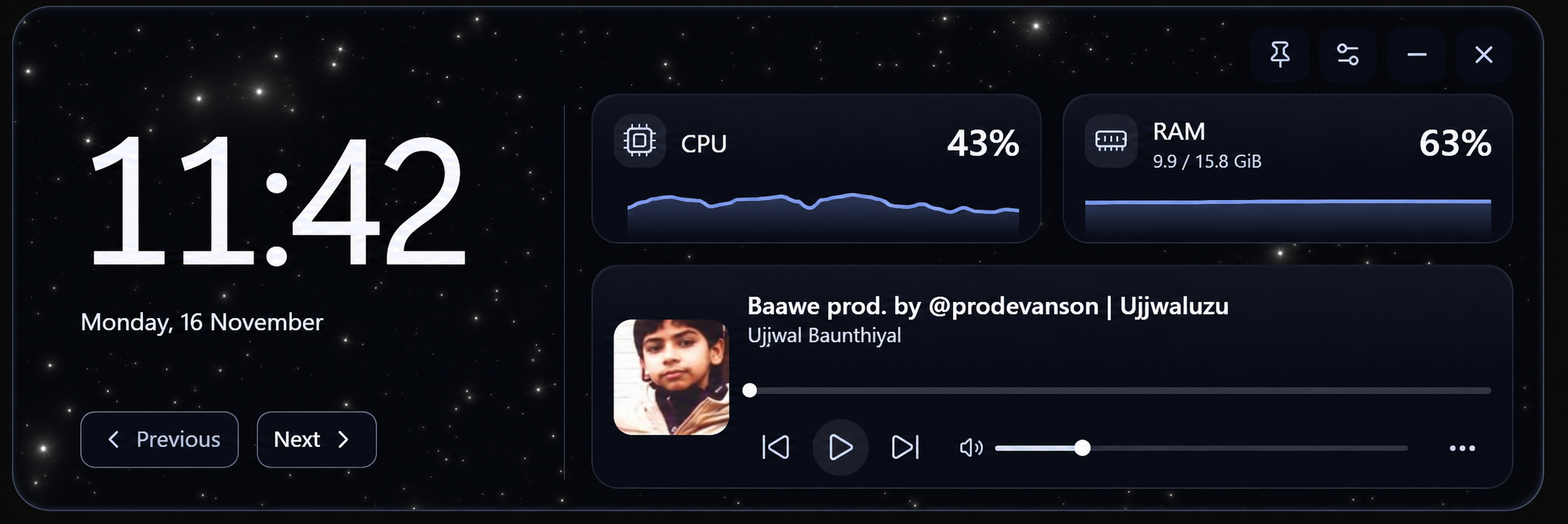
Local time and date, alongside CPU and memory readings. Keep a quiet eye on your system with live history sparklines.
Play, pause and seek in a supported Windows browser media session. Your music stays in its rhythm. So do you.
Contributions, pull requests, review requests and assigned issues. Connect your own GitHub account to keep work in view.
Feature illustrations use demo data. Explore the real app below.
Four animated themes. Six layouts. A little more you.
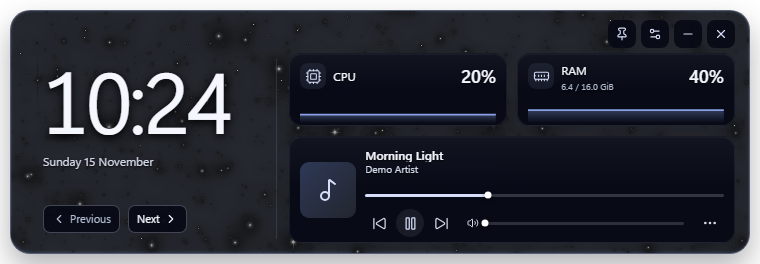
Choose a theme. Arrange your clock, system monitor and music panel. Your choices are saved locally, ready to greet you when Aura starts.
Get the Windows x64 installer. This early beta is unsigned; Windows may show an unknown-publisher or SmartScreen warning. Review the source and release notes before installing.
Run the installer. Aura uses Microsoft Edge WebView2; setup downloads its official runtime if needed, so an internet connection may be required.
Choose your theme and layout in Settings. Startup is enabled on the first release launch. Turn it off under Settings, then General, then Start Aura with Windows.
Clock, system stats, music and GitHub, in one desktop widget.
Download Windows Beta0.1.3-beta.1 · Windows x64 · 2.06 MiB
Windows 11 is the primary tested environment. Clean-Windows testing is pending; installation has not been verified on every Windows configuration.
Google sign-in and YouTube account/library features are gated in this beta. Windows browser music controls remain available.
Read the release notesSHA-256: 78a875435c0bd9852564437597f1886d28c1acb07bed77e7f47a1bad97d72c07
The installer has no trusted code-signing certificate. Windows may display an unknown-publisher or SmartScreen warning. This is an early public beta with clean-Windows testing still pending. Review the source and release notes before deciding to install.
Yes. On its first release launch, Aura enables startup for the current user. Disable this in Settings, then General, then Start Aura with Windows. Windows Startup apps can override this setting.
No. Windows browser media-session controls work independently. Start media in a supported browser, then select its session in Aura. Available controls depend on that session. Google sign-in and YouTube account/library access remain gated pending provider requirements.
Aura uses Microsoft's WebView2 Runtime to display its local interface. The installer requests the official runtime only if missing. You can also get it from Microsoft's WebView2 download page.
Clock, system metrics, preferences and browser media metadata stay local to Aura. Optional GitHub integration contacts GitHub and stores credentials protected by Windows DPAPI. Aura has no hosted app backend or telemetry. This website adds no tracking, login or cookies; GitHub Pages handles hosting requests under GitHub's privacy policy. Read the privacy policy for details.
Open an issue on GitHub with the beta version, Windows version and steps to reproduce. Remove personal data and credentials from screenshots and logs.